RSVP by Link
Guests answer from any browser — no app and no account.
With PlanningInSync you send each guest a personal RSVP link. They open it in any browser, tap Attending, Can't attend or Will join later, and say how many adults, children and infants are coming. There's no app to download and no account to create, and their answer shows up in your app right away.
How RSVP by link works
Four steps from creating the event to a live headcount.
- Create your event in the app. Add the date, time, location and a cover photo in under a minute.
- Send each guest their personal link. Share it from your guest list by text, email or any messaging app.
- Guests answer in their browser. No download and no sign-up. They can add the event to Google, Apple or Outlook calendar with one tap.
- You see every answer live. Attending counts, party sizes and notes appear on your event overview as guests respond.
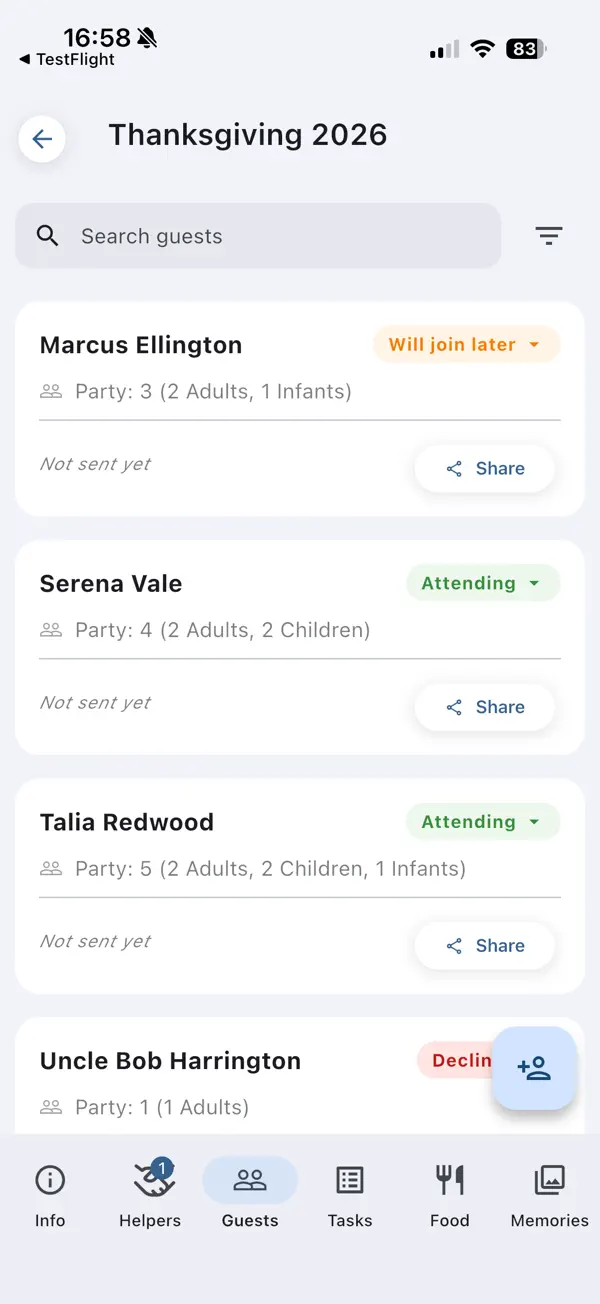
Every guest's answer at a glance
Your guest list shows who's attending, who can't make it and who will join later, along with each party's size. Guests can change their answer until the event starts, so the list stays current without you having to chase anyone.
- Adults, children and infants counted separately
- Notes for dietary needs or special requests
- See who hasn't been sent a link yet
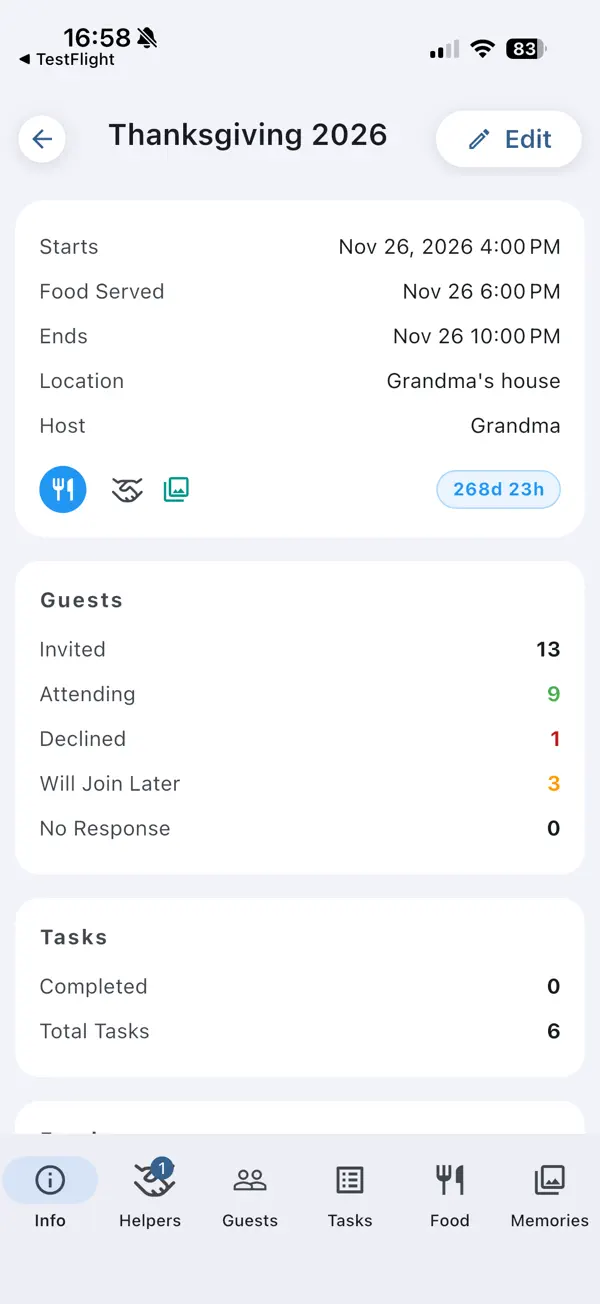
Headcount totals on one screen
The event overview adds everything up: invited, attending, declined, will join later and no response yet. Next to the guest totals you'll see your task progress, food list and budget.
Guests can do more than RSVP
Some guests want to help. PlanningInSync gives them a way in.
- A guest volunteers. In the app, they tap Request Helper Access on the event.
- You approve with one tap. They join your planning team.
- Helpers pitch in. They claim tasks, sign up for dishes on the food list and share photos and videos in the event gallery. Everything syncs in real time.
Adding your first helper turns an event into a Shared Event. Every new account includes 2 shared events, and plans let you share more.
RSVP by link: the details
What your guests see and what you get back.
| What guests need | A phone or computer with a web browser |
|---|---|
| App or account for guests | Not needed to RSVP |
| Answers | Attending, Can't attend, Will join later |
| Party size | Adults, children and infants, entered separately |
| Notes | Free text for dietary needs or special requests |
| Add to calendar | Google Calendar, Apple Calendar (.ics) and Outlook |
| RSVP page languages | English, Spanish and French, picked from the guest's browser |
| Guest limit | None |
| Ads | None, ever |
Questions about RSVP by link
Do my guests need to download an app to RSVP?
No. Each guest gets a personal link that opens in any web browser on a phone or computer. They answer right there, with no download.
Do guests need to create an account?
No. The personal link identifies the guest, so there is nothing to sign up for and no password to remember.
Can guests change their RSVP later?
Yes. Guests can open the same link again and update their answer, party size or notes at any time until the event starts.
How many guests can I invite?
As many as you like. There is no guest limit, and inviting guests and collecting RSVPs never costs anything.
Can I see how many children are coming?
Yes. Guests enter adults, children and infants separately, and your event overview adds them up for you.
What languages is the RSVP page available in?
The RSVP page is available in English, Spanish and French, and it picks the language from the guest's browser automatically.
More answers in our Help & FAQ.
Send your first RSVP link today
Create the event, share the links, and plan the rest together with your helpers.