Family Reunion Planner
Plan it together with your relatives, from the RSVPs to the photos afterward.
A family reunion is too much for one person to organize. With PlanningInSync, relatives RSVP from a link with no app needed, the helpers you pick share the tasks and food lists with you, and everyone's photos end up in one gallery afterward.
How to plan a family reunion together
One event, shared by your planning team.
- Create the reunion. Add the date, start and end times, when food is served, the location and a cover photo. Times are shown in the reunion's own time zone.
- Send every household an RSVP link. Relatives answer in their browser, count adults, children and infants, and add the date to their calendar.
- Build your planning team. Invite relatives as helpers, or approve family members who volunteer from the app.
- Divide the work. Helpers claim tasks and dishes, track spending against the budget and upload photos and videos during the reunion.
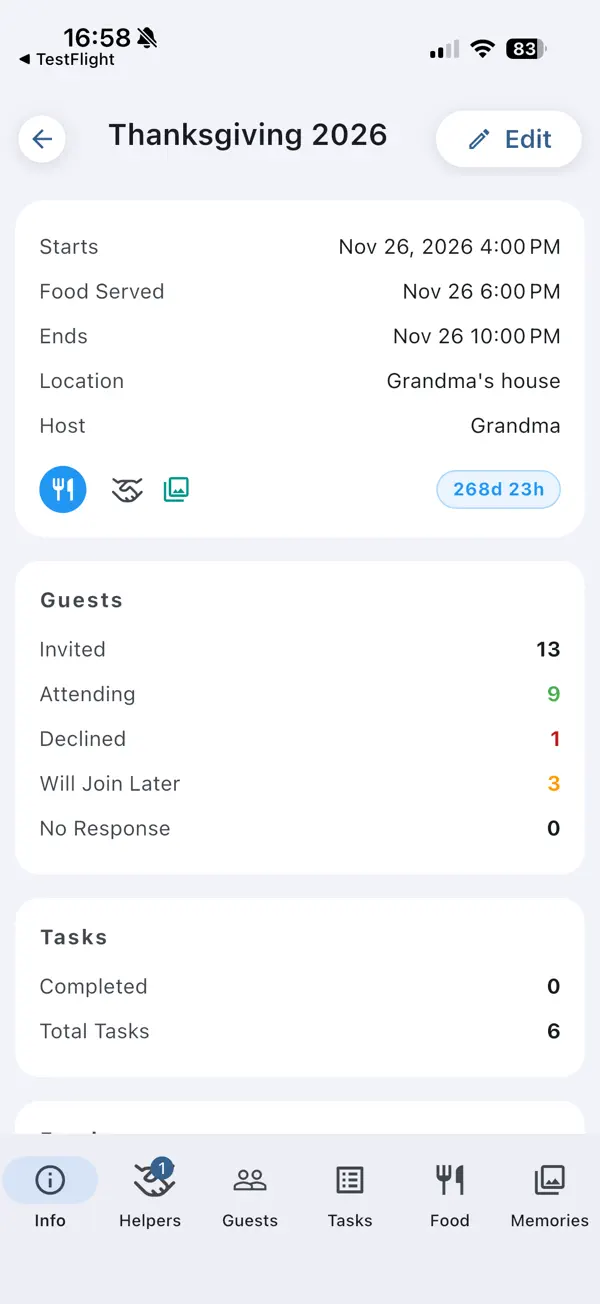
The whole reunion on one screen
The event overview brings together the schedule, the guest totals (attending, declined, will join later and no response), task progress, the food list by category and your budget compared with actual spending.
- Adults, children and infants counted separately
- Notes for dietary needs and special requests
- A live countdown to the big day
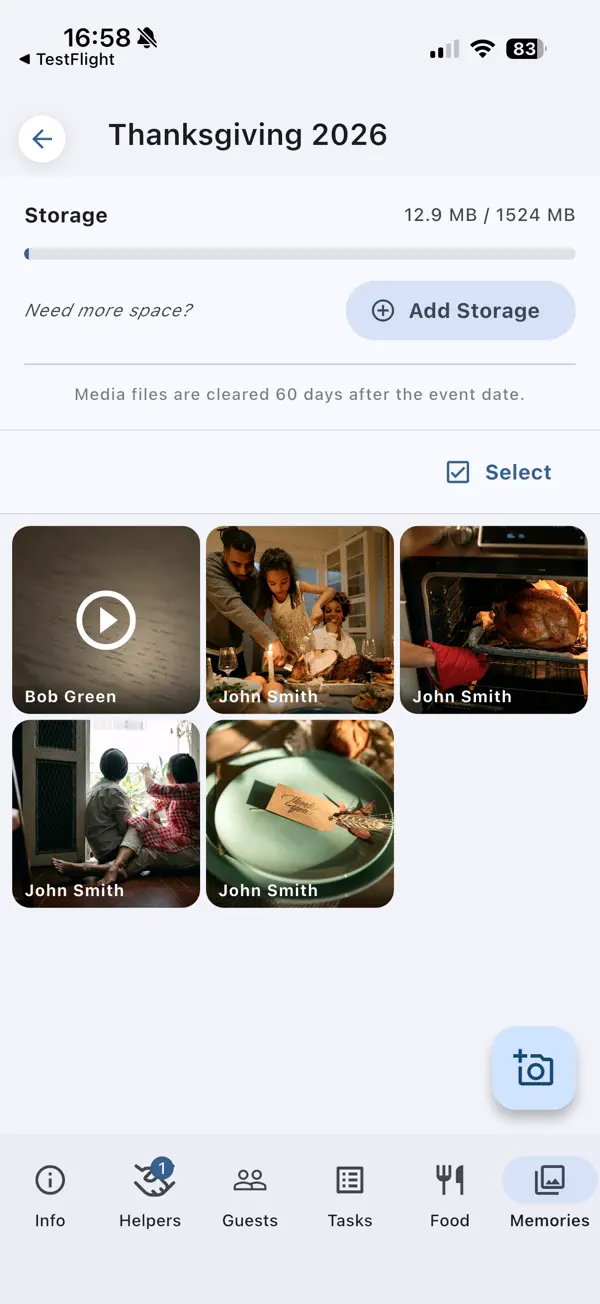
Every relative's photos in one gallery
No more chasing photos across group chats. Helpers upload photos and videos from their phones into the event's shared gallery, and you can choose to let guests view it too.
Every shared event includes 500 MB of storage, and storage upgrades add room for more videos.
Family reunion planning at a glance
What PlanningInSync covers for a reunion.
| Guest list size | No limit |
|---|---|
| RSVP | Personal link per household, any browser, no app or account |
| Headcount | Adults, children and infants from each RSVP |
| Calendar | Guests add the reunion to Google, Apple or Outlook calendar |
| Planning team | Helpers you invite, plus relatives who volunteer and you approve |
| Tasks and food | Shared lists by category, each item with a name on it |
| Budget | Planned budget vs. actual spending |
| Photos and videos | Shared gallery, 500 MB per shared event, upgrades available |
| RSVP page languages | English, Spanish and French |
Family reunion planning questions
How do I get an accurate headcount for a family reunion?
Send each household a personal RSVP link. They answer in any browser and enter adults, children and infants separately, and your event overview totals everyone who is attending, declined, joining later or hasn't answered yet.
Can several relatives plan the reunion together?
Yes. Invite relatives as helpers, or approve family members who tap Request Helper Access in the app. Helpers share the task list, the food list and the photo gallery with you, and every change syncs in real time.
Do older relatives need to install an app?
Not to RSVP. The personal link opens in any web browser with no app and no account, and they can add the date to Google, Apple or Outlook calendar from there. Only relatives who want to help plan need the app.
How can everyone share reunion photos in one place?
Each shared event has a photo and video gallery. Helpers upload from their phones, and you can choose to let guests view it too. Every shared event includes 500 MB of storage, and storage upgrades add room for more videos.
Can I track the reunion budget?
Yes. Give each task or dish a budget and record what was actually spent, and the event overview totals both side by side.
More answers in our Help & FAQ.
Start planning your reunion with your family
Create the event, send the RSVP links and invite your first helpers. Every new account includes 2 shared events.